Process Guide
A process guide is the map across roles. If you only need the steps at one station, write a work instruction instead.
What's Included
- Purpose
- Trigger
- Participants
- Inputs
- Stages
- Decisions
- Outputs
- Exceptions
- Metrics
- Related documents
Best For
Cross-functional processes that an SOP would over-compress and a work instruction would under-scope.
Target Audience
Operations managers, finance ops, and process owners.
How to Customize
Do not paste a flowchart screenshot as the process. If a diagram is required later, it will need an editor capability Docs does not yet have.
When to Use
Use this when work crosses teams — for example invoice-to-cash, quote-to-order, or hire-to-onboard. Keep SOPs for controlled procedures and work instructions for single tasks.
Full Document Preview
Preview the actual editable ZuffSuite document.
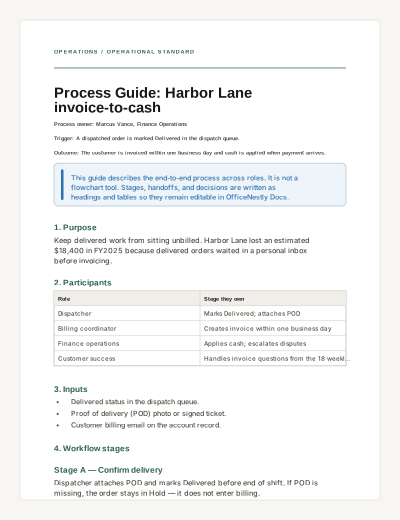
OPERATIONS / OPERATIONAL STANDARD
Process Guide: Harbor Lane invoice-to-cash
Process owner: Marcus Vance, Finance Operations
Trigger: A dispatched order is marked Delivered in the dispatch queue.
Outcome: The customer is invoiced within one business day and cash is applied when payment arrives.
This guide describes the end-to-end process across roles. It is not a flowchart tool. Stages, handoffs, and decisions are written as headings and tables so they remain editable in ZuffSuite Docs.
1. Purpose
Keep delivered work from sitting unbilled. Harbor Lane lost an estimated $18,400 in FY2025 because delivered orders waited in a personal inbox before invoicing.
2. Participants
Role | Stage they own |
|---|---|
Dispatcher | Marks Delivered; attaches POD |
Billing coordinator | Creates invoice within one business day |
Finance operations | Applies cash; escalates disputes |
Customer success | Handles invoice questions from the 18 weekly-digest accounts |
3. Inputs
Delivered status in the dispatch queue.
Proof of delivery (POD) photo or signed ticket.
Customer billing email on the account record.
4. Workflow stages
Stage A — Confirm delivery
Dispatcher attaches POD and marks Delivered before end of shift. If POD is missing, the order stays in Hold — it does not enter billing.
Stage B — Invoice
Billing coordinator creates the invoice the next business morning from the Delivered queue. Handoff: the queue filter “Delivered, not invoiced.”
Stage C — Collect
Finance operations sends the invoice and records the due date (Net 15). Customer success is copied only for the 18 digest accounts.
Stage D — Apply cash
When payment arrives, Finance operations matches invoice number. Unmatched payments go to the exception table — they are not forced onto the oldest invoice.
5. Decision points
Decision | If yes | If no |
|---|---|---|
POD attached? | Continue to invoice | Stay in Hold; dispatcher follows WI-WH-014 exception path only for warehouse, not for billing |
Amount disputed? | Finance ops opens a dispute note; clock pauses | Apply cash |
Payment unmatched? | Park in Unapplied Cash; weekly review Fridays | Close invoice |
6. Outputs
Invoice PDF in the customer record.
Cash application or a visible unapplied-cash item.
Friday exception list for Marcus Vance.
7. Exceptions
Credit memos, short pays, and customers on hold are listed on the Friday exception list. They are not handled inside this happy-path guide. Each exception type has a separate work instruction.
8. Metrics
Metric | Target | Reviewed |
|---|---|---|
Delivered-to-invoice time | 1 business day | Weekly |
Unapplied cash items older than 7 days | 0 | Friday |
Invoices missing POD | 0 | Daily queue |
9. Related documents
SOP: Client Account Onboarding (for new billing emails).
Work Instruction: Receive an inbound pallet (warehouse only — not a billing step).
Training Guide: New dispatcher first week (marks Delivered correctly).
When to use it
Use this when work crosses teams — for example invoice-to-cash, quote-to-order, or hire-to-onboard. Keep SOPs for controlled procedures and work instructions for single tasks.
How to use this ZuffSuite template
Name the trigger and the owner. Write stages as headings. Put yes/no decisions in a table. Link related SOPs and work instructions by title.
Related documents
Process Guide vs. SOP vs. Work Instruction
Process guide = end-to-end flow. SOP = controlled procedure with ownership. Work instruction = one task’s steps. Standard Operating Procedure
Questions people actually ask
- Why isn’t there a flowchart?
- ZuffSuite Docs cannot faithfully support advanced flowcharts yet. This template uses headings and tables so preview, print, and editing stay honest.
Related templates
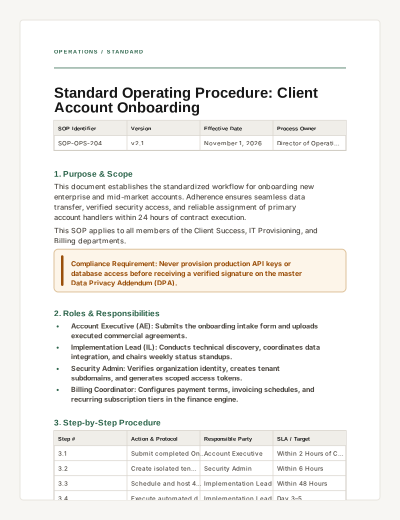
Standard Operating Procedure
A formal operational procedure template detailing version control, responsibilities, step-by-step instructions, and compliance checklists.
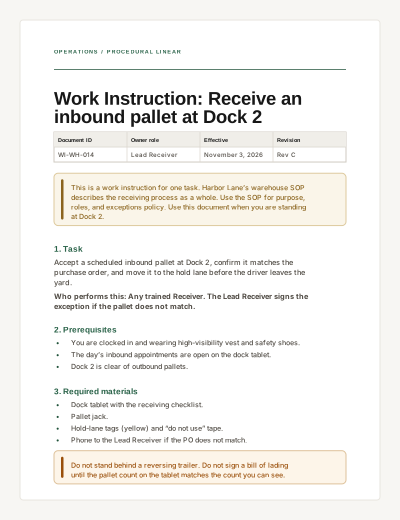
Work Instruction
A task-specific procedure with prerequisites, numbered steps, completion criteria, and troubleshooting.
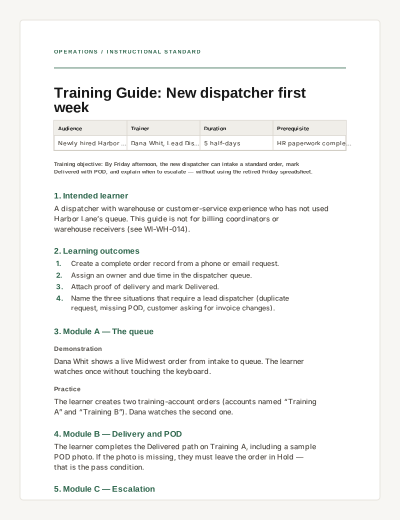
Training Guide
A practical internal learning document with outcomes, modules, practice, and completion criteria — not an interactive quiz.