Training Guide
A training guide tells a new teammate what “good” looks like this week. It should be practiced, not merely read.
What's Included
- Objective
- Learner
- Prerequisites
- Outcomes
- Modules
- Practice
- Knowledge-check prompts
- Resources
- Completion criteria
Best For
First-week role training that should stay a document the trainer and learner share.
Target Audience
Team leads, operations trainers, and people managers.
How to Customize
Do not add quiz software. If you need scored e-learning, that is a different product.
When to Use
Use this when a person is learning a role. Keep the SOP as the controlled procedure and work instructions as the task steps they will practice.
Full Document Preview
Preview the actual editable ZuffSuite document.
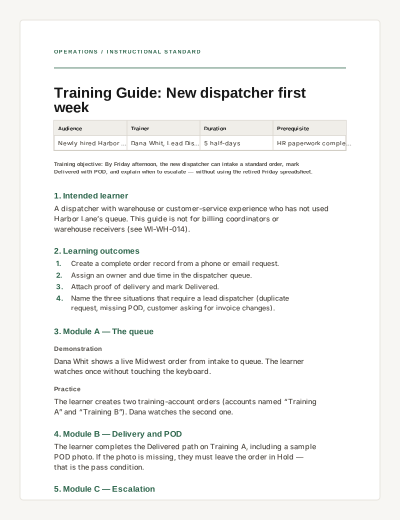
OPERATIONS / INSTRUCTIONAL STANDARD
Training Guide: New dispatcher first week
Audience | Trainer | Duration | Prerequisite |
|---|---|---|---|
Newly hired Harbor Lane dispatcher | Dana Whit, Lead Dispatcher | 5 half-days | HR paperwork complete; dock safety video watched |
Training objective: By Friday afternoon, the new dispatcher can intake a standard order, mark Delivered with POD, and explain when to escalate — without using the retired Friday spreadsheet.
1. Intended learner
A dispatcher with warehouse or customer-service experience who has not used Harbor Lane’s queue. This guide is not for billing coordinators or warehouse receivers (see WI-WH-014).
2. Learning outcomes
Create a complete order record from a phone or email request.
Assign an owner and due time in the dispatcher queue.
Attach proof of delivery and mark Delivered.
Name the three situations that require a lead dispatcher (duplicate request, missing POD, customer asking for invoice changes).
3. Module A — The queue
Demonstration
Dana Whit shows a live Midwest order from intake to queue. The learner watches once without touching the keyboard.
Practice
The learner creates two training-account orders (accounts named “Training A” and “Training B”). Dana watches the second one.
4. Module B — Delivery and POD
The learner completes the Delivered path on Training A, including a sample POD photo. If the photo is missing, they must leave the order in Hold — that is the pass condition.
5. Module C — Escalation
Walk through the three escalation cases using last month’s anonymized examples. The learner writes, in their own words, who they would call.
This guide uses written knowledge-check prompts. It is not an interactive quiz product. Score the prompts in person.
6. Knowledge-check prompts
What do you do if a customer emails and calls about the same shipment?
When is it correct to mark Delivered without a POD?
Who owns invoice-amount questions — dispatch or finance?
7. Practice checklist
Two training orders created with owner and due time
Training A marked Delivered with POD attached
Hold path demonstrated when POD is missing
Three escalation prompts answered with Dana present
8. Support and resources
Resource | Where |
|---|---|
Parent SOP | Client Account Onboarding — for new account fields only |
Process guide | Invoice-to-cash — so dispatch does not invent billing steps |
Work instruction | Dock 2 receiving — warehouse only; do not mix into dispatch training |
9. Completion criteria
Dana Whit signs this guide when the checklist is complete and the learner has run one live order with a shadow. Shadow does not mean the lead types for them.
When to use it
Use this when a person is learning a role. Keep the SOP as the controlled procedure and work instructions as the task steps they will practice.
How to use this ZuffSuite template
Write outcomes you can watch someone do. Pair each module with practice. Score knowledge-check prompts in person.
Related documents
Training Guide vs. SOP
The SOP is the official procedure. The training guide is how a new person learns enough to follow it. Standard Operating Procedure
Questions people actually ask
- Can learners submit quiz answers in this document?
- They can write answers under the prompts. ZuffSuite Docs does not score quizzes. A trainer should review them.
Related templates
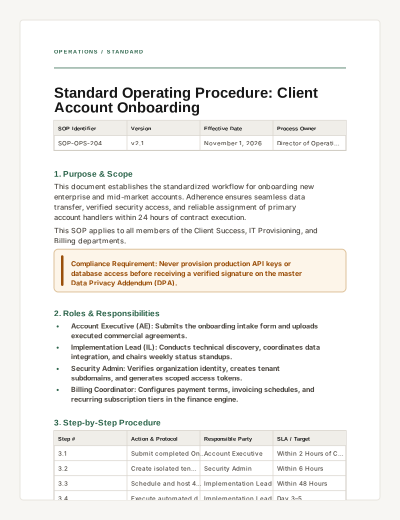
Standard Operating Procedure
A formal operational procedure template detailing version control, responsibilities, step-by-step instructions, and compliance checklists.
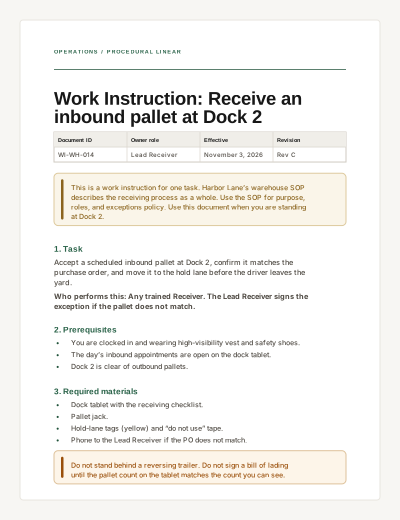
Work Instruction
A task-specific procedure with prerequisites, numbered steps, completion criteria, and troubleshooting.
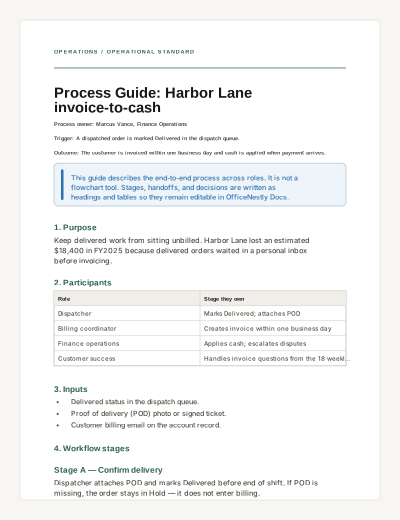
Process Guide
Explain an end-to-end business process: trigger, participants, stages, handoffs, decisions, and metrics.