Work Instruction
A work instruction is the document you want in someone’s hand at the dock, the bench, or the desk. An SOP is the controlled procedure around that task.
What's Included
- Task
- Owner
- Prerequisites
- Materials
- Safety notes
- Numbered steps
- Expected result
- Completion criteria
- Troubleshooting
- Revision
Best For
Tasks that are too specific to live as the only content in an SOP.
Target Audience
Operations trainers, warehouse leads, and process owners.
How to Customize
Replace Dock 2 with your station. Do not turn this into a certification or OSHA form.
When to Use
Use this when a person must perform a specific job the same way every time. If you need purpose, scope, and roles for a whole procedure, use the Standard Operating Procedure template.
Full Document Preview
Preview the actual editable ZuffSuite document.
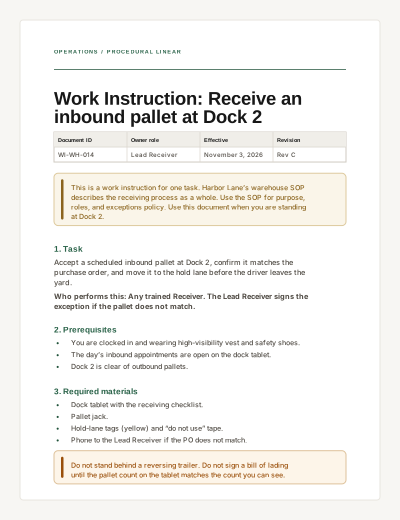
OPERATIONS / PROCEDURAL LINEAR
Work Instruction: Receive an inbound pallet at Dock 2
Document ID | Owner role | Effective | Revision |
|---|---|---|---|
WI-WH-014 | Lead Receiver | November 3, 2026 | Rev C |
This is a work instruction for one task. Harbor Lane’s warehouse SOP describes the receiving process as a whole. Use the SOP for purpose, roles, and exceptions policy. Use this document when you are standing at Dock 2.
1. Task
Accept a scheduled inbound pallet at Dock 2, confirm it matches the purchase order, and move it to the hold lane before the driver leaves the yard.
Who performs this: Any trained Receiver. The Lead Receiver signs the exception if the pallet does not match.
2. Prerequisites
You are clocked in and wearing high-visibility vest and safety shoes.
The day’s inbound appointments are open on the dock tablet.
Dock 2 is clear of outbound pallets.
3. Required materials
Dock tablet with the receiving checklist.
Pallet jack.
Hold-lane tags (yellow) and “do not use” tape.
Phone to the Lead Receiver if the PO does not match.
Do not stand behind a reversing trailer. Do not sign a bill of lading until the pallet count on the tablet matches the count you can see.
4. Steps
Confirm the appointment on the tablet matches the carrier name on the trailer.
Ask the driver to chock the wheels. Do not open the dock plate until chocks are in place.
Count cartons on the pallet. Enter the count on the tablet before you move anything.
Match PO number, SKU, and quantity. If any field differs, stop and call the Lead Receiver. Do not “fix it later.”
Photograph obvious damage on the tablet. Note it on the bill of lading before the driver leaves.
Move the pallet to Hold Lane B. Apply a yellow tag with the PO number and time.
Close the appointment on the tablet. Hand the signed bill of lading copy to the driver.
5. Expected result
The pallet is in Hold Lane B with a yellow tag. The appointment is closed. The driver has a signed copy. Nothing has entered pickable inventory yet — putaway is a different work instruction (WI-WH-021).
6. Completion criteria
Check | Pass |
|---|---|
Count on tablet = count on pallet | Yes |
PO match or Lead Receiver signature on exception | Yes |
Pallet in Hold Lane B with yellow tag | Yes |
Driver copy issued | Yes |
7. Troubleshooting
If this happens | Do this |
|---|---|
Trailer at the wrong dock | Do not receive. Radio dispatch to reassign. Do not move the dock plate. |
Tablet offline | Use the paper backup in the red folder. Enter it within one hour of reconnect. |
Driver refuses to wait for a photo of damage | Call the Lead Receiver. Do not skip the photo. |
8. Revision
Rev C — Nov 3, 2026 — Added tablet photo of damage before driver departure. Previous: Rev B, Aug 12, 2026.
What this document is
A work instruction describes one task: who does it, what must be true first, the numbered steps, what “done” looks like, and what to do when the step fails.
When to use it
Use this when a person must perform a specific job the same way every time. If you need purpose, scope, and roles for a whole procedure, use the Standard Operating Procedure template.
How to use this ZuffSuite template
Keep one task per document. Number the steps. Write the stop condition. Point to the parent SOP by name.
Related documents
SOP vs. Work Instruction
An SOP covers a procedure: purpose, scope, roles, and controlled steps at a process level. A work instruction zooms into one task those people perform. Harbor Lane’s receiving SOP would point to this Dock 2 instruction rather than repeating pallet-jack steps. Standard Operating Procedure
Work Instruction vs. Process Guide
A process guide explains the end-to-end flow across roles. A work instruction is what one role does at one step in that flow. Process Guide
Questions people actually ask
- Can one SOP contain several work instructions?
- Yes. The SOP should name them. Keep the detailed steps in the work instruction so the SOP stays readable.
- Does this template make us ISO compliant?
- No. It follows common documented-information structure. Certification requires your own quality system and an accredited audit.
Further reading
Related templates
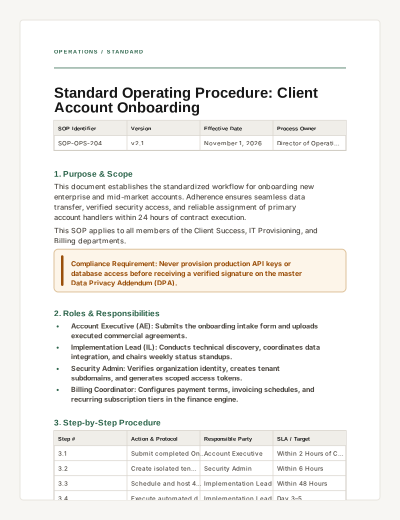
Standard Operating Procedure
A formal operational procedure template detailing version control, responsibilities, step-by-step instructions, and compliance checklists.
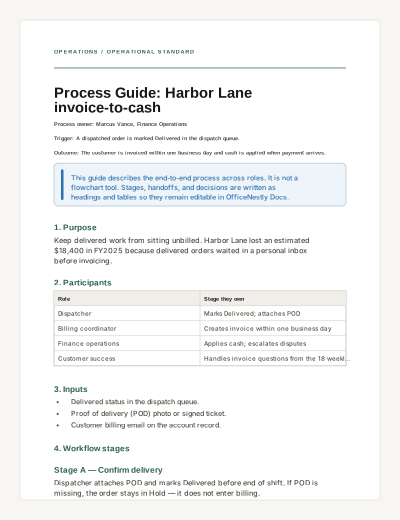
Process Guide
Explain an end-to-end business process: trigger, participants, stages, handoffs, decisions, and metrics.
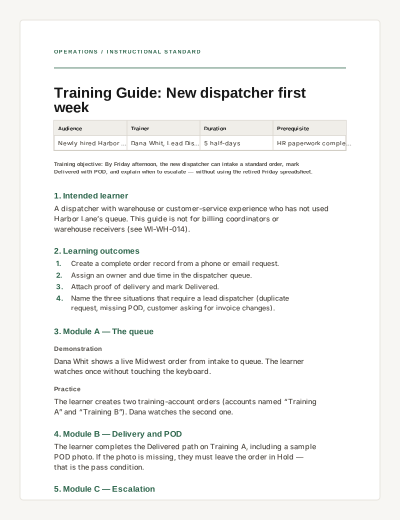
Training Guide
A practical internal learning document with outcomes, modules, practice, and completion criteria — not an interactive quiz.