Template guide 2026
Meeting Notes Template: 7 Free Examples That Turn Meetings Into Action Items (2026)
Copy a meeting notes template, compare seven realistic examples, and use a simple method to turn discussion into recorded decisions and owned follow-up.

Most meetings end with a familiar gap: everyone heard the same discussion, but no one can remember the decision or who promised to follow up. A useful meeting notes template closes that gap by separating context, decisions, actions, owners, and dates.
Copy the free format below, then choose one of seven examples for a client call, project review, one-on-one, brainstorm, student group, or decision log. Focus on a short record people can use after the meeting: decisions, context, and commitments.
A free meeting notes template you can copy
This simple meeting notes format works for recurring team meetings, client calls, and project check-ins. Start with the objective, record only the discussion that explains a decision, and finish with an action list. You can also begin with the ZuffSuite Meeting Notes template if you want a structured document rather than a blank page.
Copyable meeting notes template
MEETING TITLE: [Project, client, or recurring meeting]
DATE AND TIME: [Date, time, time zone]
FACILITATOR: [Name]
NOTE TAKER: [Name]
ATTENDEES: [Names and roles]

OBJECTIVE / OUTCOME NEEDED
[What should this meeting decide, review, or produce?]

TOPICS AND USEFUL CONTEXT
- [Topic] — [relevant context, evidence, or constraint]

DECISIONS
- [Decision] — [why, scope, and effective date]

ACTION ITEMS
- [Verb + deliverable] | Owner: [name] | Due: [date]

OPEN QUESTIONS / BLOCKERS
- [Question or dependency] | Follow-up owner: [name] | Check by: [date]

NEXT MEETING / REVIEW
[Date, purpose, or the condition that will trigger a check-in]

SHARE WITH
[People who need this record]Seven meeting notes templates and examples
The same headings do not fit every conversation. Keep the core record, then change the emphasis to match what people need to remember. These short examples are fictional and illustrate the format.
1. General meeting notes
Use a general format for a monthly operations meeting or cross-team check-in. Example: the team reviews support volume, a delayed vendor handoff, and next month’s coverage. Record the decision to move the release review to Tuesday, then list the person confirming vendor access and the date they will report back.
2. Client meeting notes
Keep the client’s goals, approvals, requested changes, and promises easy to find. In a fictional landing-page kickoff, the client approves a single-page launch site, sends the final service list by October 19, and asks for a wireframe by October 22. A weekly client update template can carry agreed progress and open questions into the next update.
3. Project status meeting notes
Organize a status review by milestone: done, in progress, at risk, and waiting on input. Example: staging tests are complete, but legal copy is still awaiting approval. Record the approval owner and October 20 check-in date; note that QA begins October 21 only if the copy arrives.
4. One-on-one meeting notes
Keep one-on-one notes focused on the support and next steps two people agree on. Capture the topic, feedback or context the employee wants to revisit, a development goal, and commitments from both people. A One-on-One Meeting Notes template gives recurring conversations a consistent structure.
5. Brainstorming meeting notes
Separate ideas from selections. For a fictional onboarding brainstorm, save the options people raised, choose reminder emails as the first experiment, and record that a product lead will draft three message examples by October 23. Keep ideas that were not chosen in a parking lot instead of presenting them as decisions.
6. Student group project meeting notes
For a class presentation, record the question, source links, each person’s part, and the next review date. Example: Sam drafts the outline, Jo verifies two sources, and Amina assembles the slides; the group checks citations together on October 23. The college group presentation guide has a related workflow for dividing research and slides.
7. Decision and action-item notes
Use a compact log when the outcome matters more than the conversation. Record the question, options considered, decision-maker, rationale, effective date, and actions. Example: the team chooses a Friday client update instead of a Monday one because it follows the weekly review; the project lead updates the recurring schedule before October 20.
How to take better meeting notes
Prepare the page before people join: add the meeting name, objective, attendees, and agenda topics. During the discussion, write in short phrases and capture the information someone would need to understand the outcome later.
- Write the outcome, not every sentence. Keep a brief reason or piece of context when it explains why a choice was made.
- Separate decisions from proposals. If no one approved an idea, label it as an option or open question.
- Give each task a verb, deliverable, one accountable owner, and a date. Split work when it needs separate owners.
- Keep blockers visible. Name the input needed, who will get it, and when the group will check again.
- Close by reading the action list aloud. Confirm the owner and deadline while everyone is still in the room.
If you are taking notes while facilitating, do not try to capture polished prose in real time. Mark a short cue, then clarify it before sharing. For research or class work, keep source details beside evidence; the guide to organizing research notes explains how to keep claims traceable.
How to turn meeting notes into action items
“We should get the launch page ready sooner” expresses a direction, but it does not tell anyone what to do. Before the meeting ends, ask what deliverable would move the work forward, who owns it, and when it is due. If the date depends on an approval or file, record that dependency too.
| What someone said | Action item | Owner | Due |
|---|---|---|---|
| “Can someone ask finance for the updated costs?” | Send the revised hosting estimate to Finance. | Leo | Oct 20 |
| “We need to tighten the page before review.” | Cut the draft to one page and attach revised copy. | Mina | Oct 21 |
| “Maybe test checkout with customers.” | Book three customer test sessions and share the notes. | Priya | Oct 23 |
“Can someone ask finance for the updated costs?”
- Action item
- Send the revised hosting estimate to Finance.
- Owner
- Leo
- Due
- Oct 20
“We need to tighten the page before review.”
- Action item
- Cut the draft to one page and attach revised copy.
- Owner
- Mina
- Due
- Oct 21
“Maybe test checkout with customers.”
- Action item
- Book three customer test sessions and share the notes.
- Owner
- Priya
- Due
- Oct 23
A useful action item begins with a concrete verb and names a finishable result. When a task depends on another person’s decision, keep the dependency as an open question until that person confirms it.
Decision made
- Discussion
- Decision and reason
- Action item
- Owner
- Deadline
- Follow-up
The record shows who will deliver what, and when to review it.
Question still open
- Discussion
- Question or dependency
- Person to consult
- Check-in date
Keep it visible as unresolved; do not mark it approved or assigned.
Meeting notes vs. meeting minutes
Meeting notes are working records that help a team remember context and move work forward. Meeting minutes are a more formal record of what happened, especially for governance or other settings with defined approval requirements.
| Meeting notes | Meeting minutes | |
|---|---|---|
| Main use | Working reference for decisions and follow-up | Formal record of proceedings and approved resolutions |
| Level of detail | Useful context, open questions, and assigned actions | Structured account of attendance, motions, decisions, and approvals |
| Style | Flexible and concise | Usually follows an organization’s required format |
| Review | Shared with people who need the next steps | May require review or approval under a policy |
Main use
- Meeting notes
- Working reference for decisions and follow-up
- Meeting minutes
- Formal record of proceedings and approved resolutions
Level of detail
- Meeting notes
- Useful context, open questions, and assigned actions
- Meeting minutes
- Structured account of attendance, motions, decisions, and approvals
Style
- Meeting notes
- Flexible and concise
- Meeting minutes
- Usually follows an organization’s required format
Review
- Meeting notes
- Shared with people who need the next steps
- Meeting minutes
- May require review or approval under a policy
If you are recording a board, committee, or regulated meeting, follow the organization’s requirements for format, access, retention, and approval. A casual notes template is not a substitute for a required minute-taking process.
Organize meeting notes and follow-up in ZuffSuite
Open the public Meeting Notes template to review its structure, then choose “Use this template” to create a document. After you sign in, the new document opens in Docs. The template gives you sections for meeting details, objectives, discussion, decisions, and next steps; adapt them to the meeting instead of copying an agenda you do not need.
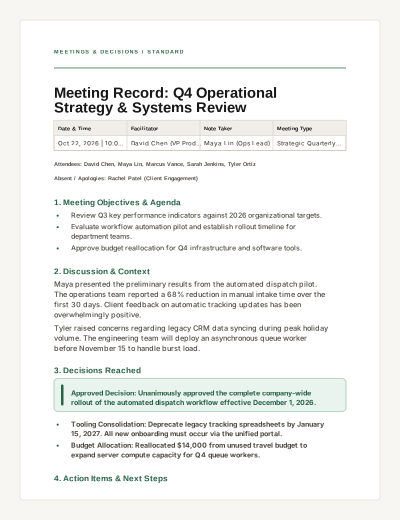
For an eligible signed-in Docs document, select the exact sentence or bullet you want to act on and choose “Create task from selection.” Review and edit the suggested task details, such as title, owner, or due date, then confirm. Nothing is added until you confirm, so review the proposed task before saving. You can also add a task manually from Today.
For a meeting you have not held yet, start with the Meeting Agenda template.
Frequently asked questions
What should be included in meeting notes?
At minimum, include the date, attendees, objective, decisions, action items, owners, and due dates. Add a short piece of context when it helps someone understand why a decision was made, plus unresolved questions that need follow-up.
How detailed should meeting notes be?
Detailed enough that someone who missed the meeting can understand the important decisions and act on their assignment. Skip repeated discussion and side comments. Keep a transcript only when your process specifically requires one and people know it is being recorded.
Who should take meeting notes?
Choose a note taker before the meeting when possible. For a small meeting, the facilitator may do it; for a decision-heavy conversation, assigning another person lets the facilitator guide discussion. Rotate the role if note-taking is shared work.
What is the best format for meeting notes?
Use the simplest format that makes the next step clear. A one-on-one may need a recurring topic and support section; a project review may need status and blockers; a decision log may need options and rationale. Keep the same core fields for date, decision, owner, and deadline.
Put your meeting notes to work
A strong meeting notes template does not make a meeting productive by itself. It gives people a reliable place to record what was decided, who owns the next action, and when the group will check again. Copy the format, use the example that fits, and confirm the action list before everyone leaves.
Keep exploring
More guides for your work
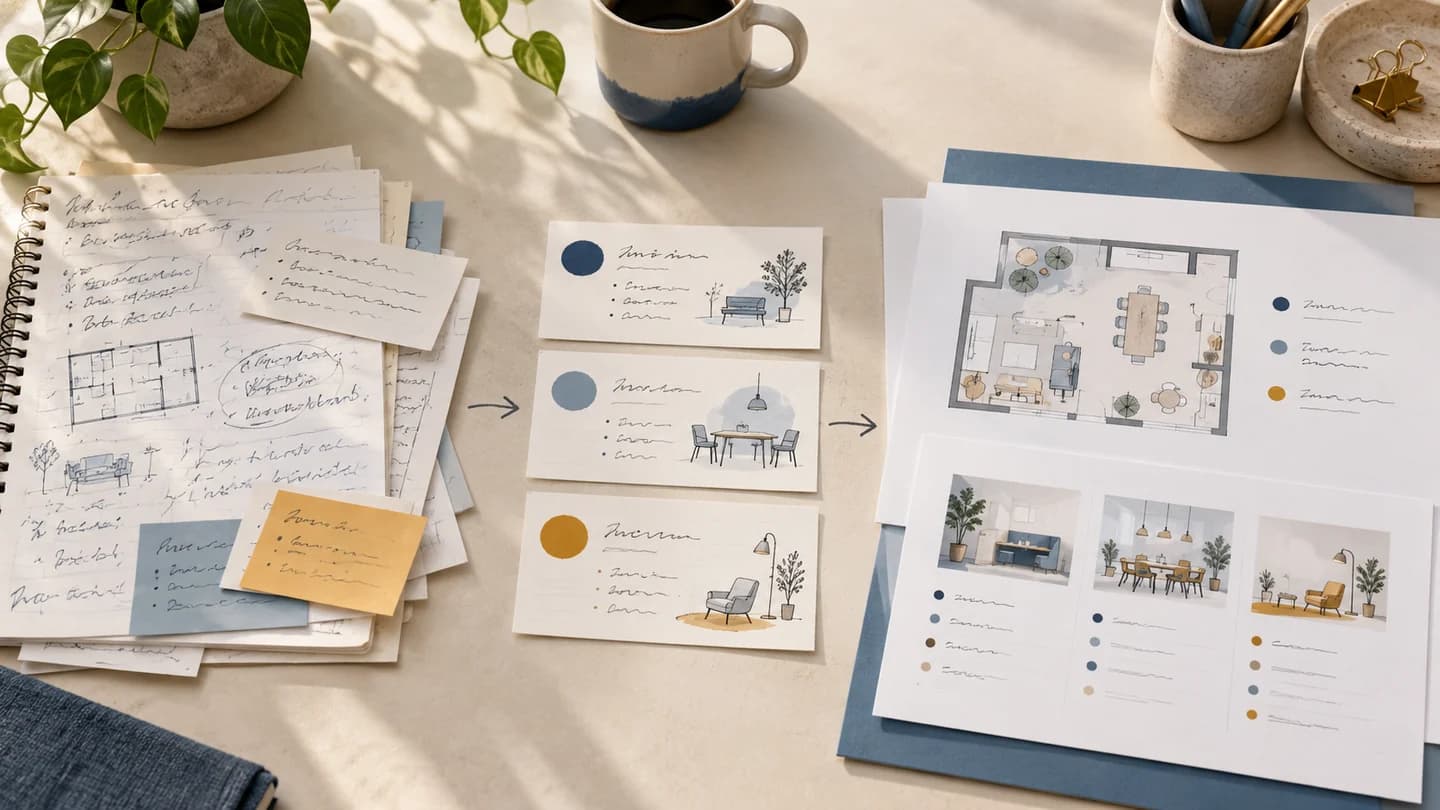
Step-by-step tutorial Oct 13, 2026
How to Turn Notes Into a Presentation: From Messy Ideas to Finished Slides
Follow one complete notes-to-slides example, from a messy research page to a focused six-slide story you can confidently present.
Read the guide
Step-by-step tutorial Oct 3, 2026
How to Organize Research Notes for Papers and Presentations
Keep evidence connected to sources, compare ideas by theme, and turn organized notes into a useful outline.
Read the guide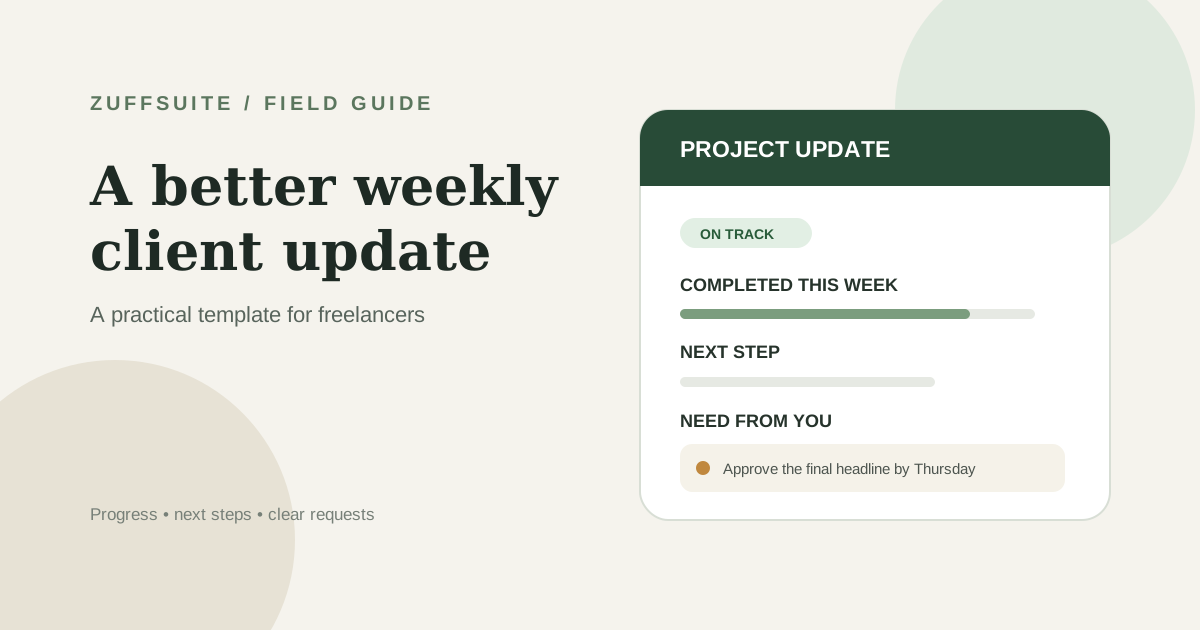
Freelance guide Oct 7, 2026
Weekly Client Update Template for Freelancers
A practical weekly client update template, five messages for real project situations, and a simple routine for sending clear client updates without rewriting the same email every Friday.
Read the guideA workspace for what comes next
Bring your everyday work into one workspace.
Plan a project, shape your ideas, write, and build a presentation in one place. Start on your own and share when you need to.