Freelance template 2026
Freelance Project Brief Template: Scope, Deliverables, and Open Questions
Copy a practical one-page freelance project brief, see it filled in, and learn how to clarify scope, client inputs, approvals, and open questions before you begin.
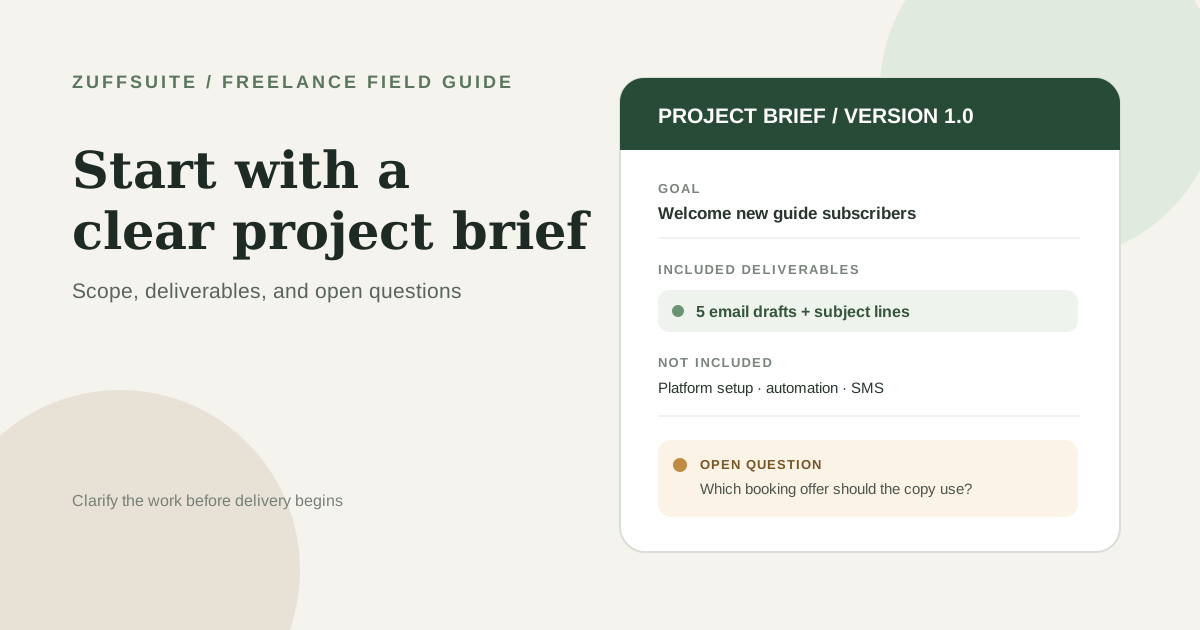
A freelance project brief turns a client request into a shared picture of the work before you start. This freelance project brief template gives you a copyable one-page structure for the goal, deliverables, exclusions, timeline, approvals, and questions that still need answers. Use it after an initial conversation or intake and before you commit to a detailed work plan.
The brief is useful when a request sounds clear in conversation but still leaves room for different assumptions. It helps you decide what is ready, what needs clarification, and what belongs in a separate proposal or agreement. It cannot guarantee a smooth project, but it can make the next decision visible.
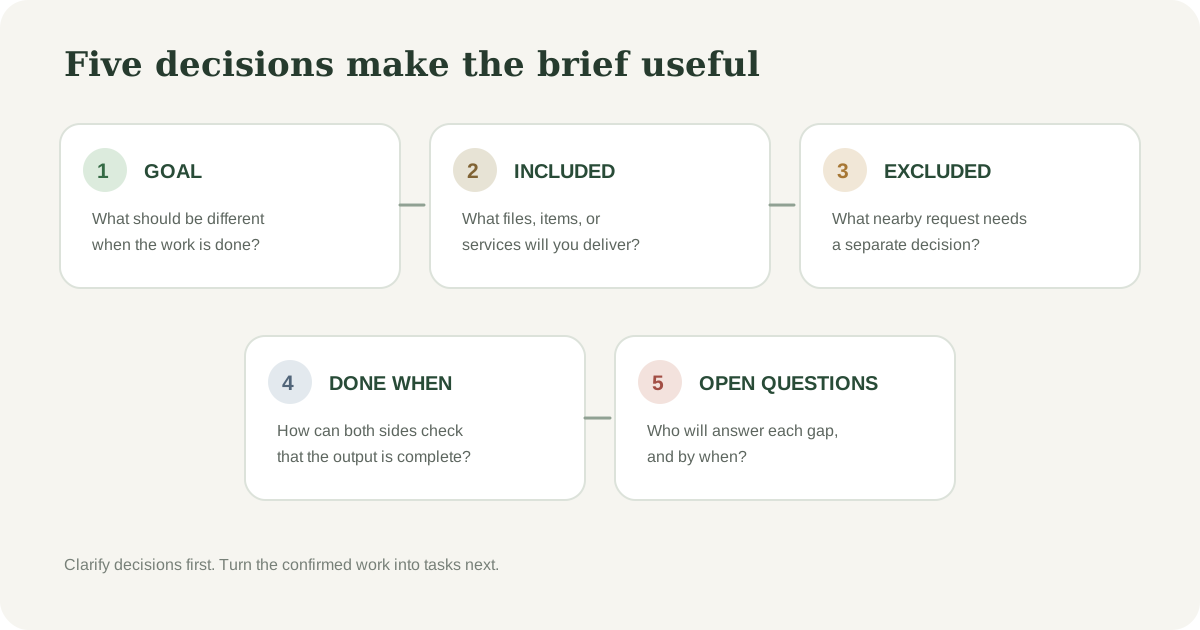
What a freelance project brief is for
A brief is a concise working summary of why the project exists, what you plan to deliver, what is outside the current request, and how both sides will recognize a finished result. For a solo freelancer, it should be easy to revisit and update without creating a second job in project administration.
Keep neighboring documents in their own roles. A proposal explains your recommended approach and price. A scope of work or service agreement records the commercial terms the parties accept. The brief summarizes the project understanding and points to those documents where details belong. A brief by itself should not be treated as legal advice or as a replacement for an agreement that your work requires.
| Document | Main job |
|---|---|
| Project brief | Describe the goal, agreed deliverables, boundaries, inputs, and decisions. |
| Proposal | Present an approach and a price for the client to consider. |
| Agreement or scope of work | Record the terms and commitments the parties accept. |
Project brief
- Main job
- Describe the goal, agreed deliverables, boundaries, inputs, and decisions.
Proposal
- Main job
- Present an approach and a price for the client to consider.
Agreement or scope of work
- Main job
- Record the terms and commitments the parties accept.
Copy this one-page freelance project brief template
Start with only the fields that help this project move forward. If a detail is already settled in an approved proposal or agreement, reference it instead of copying conflicting terms into another document. Leave unresolved items visible rather than filling them with guesses.
COPYABLE FREELANCE PROJECT BRIEF
Project brief — [project name]
- Client
- [Name or business]
- Prepared by
- [Your name]
- Version and date
- [v1.0] — [date]
- Brief status
- [Draft / Ready for confirmation / Confirmed]
1. Goal and context
- [What is the client trying to accomplish, and why now?]
- [Who is the work for or what situation should it address?]
2. Included deliverables
- [Name each item, quantity, and delivery format.]
- [Add the planned handoff or review milestone.]
3. Outside this request
- [List closely related work this brief does not include.]
- [If none, write: No additional items identified in this version.]
4. What ready for review means
- [Describe the observable requirements for each deliverable.]
- [Reference the approved feedback or revision terms rather than inventing them here.]
5. Dates and client inputs
- [Target dates or sequence, plus the assumptions they depend on.]
- [Materials, access, decisions, or approvals needed from the client and when.]
6. Assumptions and open questions
- Assuming: [Something currently treated as true but not confirmed.]
- Open question: [Question, owner, and date needed to keep planning.]
7. Confirmation
- Client contact: [Name]
- Final decision-maker: [Name]
- Next step after confirmation: [Action and owner]
- Confirm that this brief matches the current proposal or agreement before work begins.
You do not need to make the document formal to make it useful. A short brief in a shared document or email can work if both people can identify the current version, see what is still open, and find the agreed next step.
Worked example: a five-email welcome series
Imagine a freelance copywriter receives a request from a neighborhood pilates studio. The owner wants a short welcome series for people who sign up for a beginner guide. The first message sounds simple, but the brief needs to distinguish writing the emails from configuring the email platform or promising a sales result.
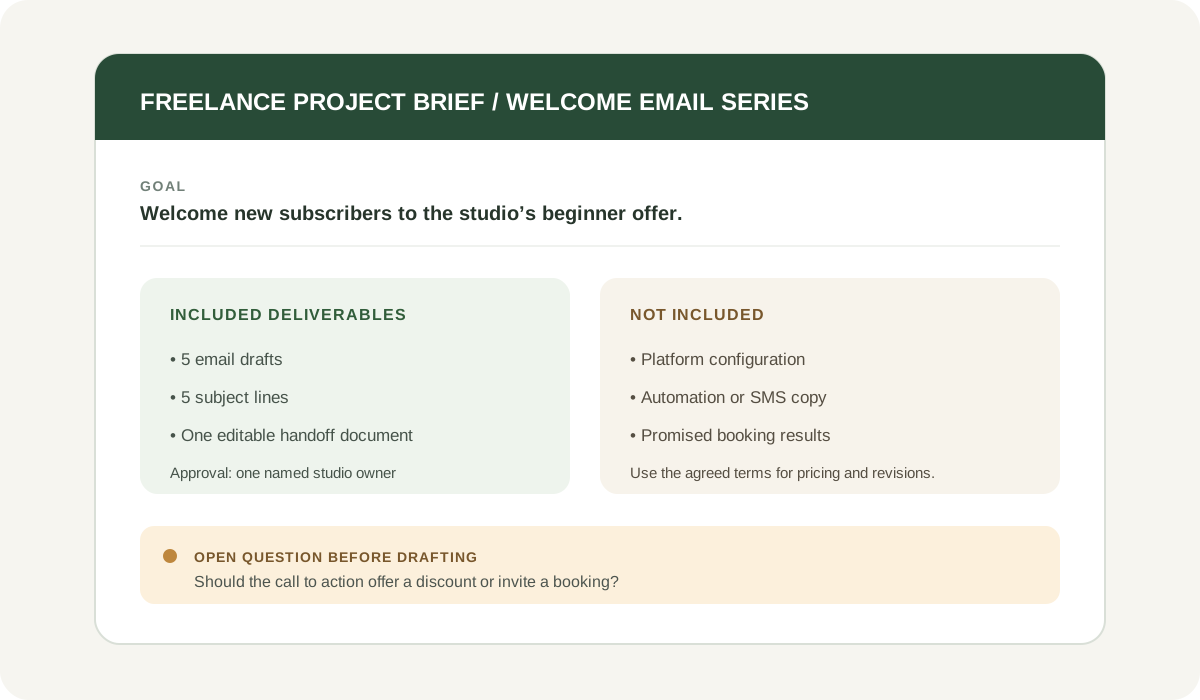
| Brief field | Illustrative entry |
|---|---|
| Goal | Welcome new guide subscribers and explain the studio’s beginner sessions. |
| Deliverables | Five email drafts with subject lines, delivered in one editable document. |
| Not included | Email platform setup, automation, graphic design, SMS messages, or a guarantee of bookings. |
| Ready for review | All five drafts use the supplied studio voice notes, identify the intended reader, and include the agreed call to action. |
| Client inputs | Guide file, session details, approved booking URL, and one person to consolidate feedback. |
| Open question | Should the sequence offer a discount, or simply invite readers to book an introductory session? |
Goal
- Illustrative entry
- Welcome new guide subscribers and explain the studio’s beginner sessions.
Deliverables
- Illustrative entry
- Five email drafts with subject lines, delivered in one editable document.
Not included
- Illustrative entry
- Email platform setup, automation, graphic design, SMS messages, or a guarantee of bookings.
Ready for review
- Illustrative entry
- All five drafts use the supplied studio voice notes, identify the intended reader, and include the agreed call to action.
Client inputs
- Illustrative entry
- Guide file, session details, approved booking URL, and one person to consolidate feedback.
Open question
- Illustrative entry
- Should the sequence offer a discount, or simply invite readers to book an introductory session?
Adapt the brief to your kind of freelance work
The same short structure works across services, but the details that prevent confusion change by project. Use this table as a prompt list, not as a requirement to add every field to every brief.
| Project type | Name the deliverable | Clarify before you start |
|---|---|---|
| Website copywriting | Page count, page names, copy format, and review milestone | Who supplies approved product claims, customer quotes, and legal copy? |
| Visual identity | Logo files, color and type notes, and any agreed usage examples | Who makes the final choice, and are packaging or print files part of this request? |
| Research or audit | Question being reviewed, source range, findings format, and walkthrough | Which records or systems are in scope, and who can provide access? |
| Consulting session | Session length, preparation notes, and the handoff or summary | Is implementation included, or does the work end with recommendations? |
Website copywriting
- Name the deliverable
- Page count, page names, copy format, and review milestone
- Clarify before you start
- Who supplies approved product claims, customer quotes, and legal copy?
Visual identity
- Name the deliverable
- Logo files, color and type notes, and any agreed usage examples
- Clarify before you start
- Who makes the final choice, and are packaging or print files part of this request?
Research or audit
- Name the deliverable
- Question being reviewed, source range, findings format, and walkthrough
- Clarify before you start
- Which records or systems are in scope, and who can provide access?
Consulting session
- Name the deliverable
- Session length, preparation notes, and the handoff or summary
- Clarify before you start
- Is implementation included, or does the work end with recommendations?
A narrower brief is often easier to confirm than a long questionnaire. Write the specific choices that affect this project, then keep other examples out of the client’s way.
That last question changes the message, so it should be answered before drafting the full sequence. The freelancer can prepare the outline while waiting if that work is useful and agreed, but should not silently choose a promotion the client has not approved.
Write each field so it can guide a decision
- Describe the goal as the client’s intended outcome, not as a guarantee you are making. “Explain the beginner offer clearly” is within the writing work; a promised number of new bookings may not be.
- Make each deliverable countable. State the number, format, and relevant version or channel instead of writing “email content” or “website updates.”
- Separate included work from adjacent work. Naming what is excluded gives both sides a question to resolve when a new request appears.
- Use observable review criteria. Specify what will be present or checked, and reference the agreed feedback terms where the brief does not own them.
- Connect dates to dependencies. A draft date may depend on receiving approved copy, product details, account access, or a decision from one named person.
- Label assumptions and open questions differently. An assumption is the current planning basis; an open question still needs an answer.
Questions to ask before you finalize the brief
A blank field does not always mean the project is blocked. Mark which gaps can wait and which ones could change the cost, sequence, or expected result. Ask the client the smallest set of questions that settles those decisions.
- What should be different when this work is complete?
- Who is the intended audience, and what do they already know?
- Which specific files, pages, messages, or other items should I deliver?
- What should I leave out of the current request?
- Who supplies the materials and access, and by what date?
- Who gives the final approval, and should feedback be consolidated?
- What does the agreed schedule depend on?
- Which details are already covered in the proposal or agreement?
You can send a short clarification note rather than a long questionnaire: “I have the outline ready. Before I draft, can you confirm whether the series should include the introductory-session offer or only explain the classes? That choice changes the call to action in each email. I will add your answer to the brief and then confirm the draft schedule.”
What to do when a request changes
A brief is a current reference, not a promise that the project will never change. If a client adds a deliverable, changes the audience, or shifts an approval date, describe the difference and ask what should happen next. Depending on the existing agreement, the options may involve a revised sequence, a different scope, or a separate estimate.
- Quote the current brief or version so both of you start from the same understanding.
- Describe the new request in concrete terms and identify what it affects.
- Explain any likely effect on the agreed deliverables, timing, or cost without treating an estimate as approved.
- Get the client’s decision through the communication method you have agreed to use.
- Update the brief or linked record, add a version date, and restate the next step.
This keeps a small adjustment from quietly becoming a different project. The follow-up can stay friendly and direct: “I can add the two extra product pages. That would move the review date by three working days. Would you like me to update the scope and send a revised schedule before I begin them?”
Keep the brief connected to the work
Once the project is confirmed, use the brief as the starting point for your working checklist or tracker. Put each deliverable where you can see its owner, next action, and target date. Keep detailed notes with the relevant project, and return to the brief when a new request or decision changes the original understanding.
If you are still collecting the request, our freelance project intake guide covers the questions to gather before you define the work. For active projects, see how to manage multiple freelance client projects and the freelance project tracker template. When the work is underway, the weekly client update template helps you report progress and flag decisions that could change the schedule.
ZuffSuite can give your documents, tables, forms, tasks, and presentations a shared workspace as your workflow grows. You can also keep the method lightweight and copy the brief into the tool you already use. Start with a clear description of the work; choose a workspace only if it makes the next step easier to manage.
Frequently asked questions
What should a freelance project brief include?
Include the goal, audience or context, deliverables, exclusions, review criteria, dates and dependencies, assumptions, open questions, and the people who approve the work. Reference the proposal or agreement for commercial terms that are already defined.
Is a project brief the same as a scope of work?
They can overlap, and freelancers use the terms differently. A brief is usually the concise project summary; a scope of work describes the agreed work and boundaries in more detail. Check how your client’s proposal and agreement define each document, and make sure the documents do not contradict one another.
How long should a project brief be?
Keep it as short as the decisions allow. A small project may fit on one page, while a project with several deliverables or dependencies may need a linked schedule or specification. Move detailed planning into the document designed to hold it, and keep the brief easy to scan.
What if the client cannot answer every question yet?
Record the unknown, who will follow up, and the date it matters. You may be able to start independent planning, but wait on decisions that could change the work until both sides agree how to proceed.
Should a project brief be a contract?
Do not assume that a brief replaces a contract or that every brief has the same legal effect. Use the agreement appropriate for the work and jurisdiction, and make the brief consistent with it. When you need legal guidance, consult a qualified professional.
Keep exploring
More guides for your work
Freelance guide Oct 7, 2026
Weekly Client Update Template for Freelancers
A practical weekly client update template, five messages for real project situations, and a simple routine for sending clear client updates without rewriting the same email every Friday.
Read the guide
Practical guide Oct 3, 2026
Free Business Expense Spreadsheet: What to Track and How to Set One Up When You Work Solo
If you work for yourself, your expenses are probably spread across card statements, email receipts, a few paper slips and a handful of subscriptions you half remember signing up for. Nothing is wrong yet.
Read the guide
Field guide Oct 3, 2026
How to Manage Multiple Freelance Client Projects Without Losing Track
A worked three-client week, a small project overview, and a repeatable review to keep commitments clear.
Read the guideA workspace for what comes next
Give your next project one clear home.
Keep notes, documents, tasks, and presentation work together in a personal workspace. Share something when you choose.